
Qorvan RoamLevel
Level your RV with confidence.
The Qorvan RL1 leveler reads your RV's left-right and front-back tilt, and the RoamLevel app turns it into block recommendations for each wheel.
- Works with RL1 Core and RL1 Pro
- Top View and Tilt View
- Voice guidance
- Works offline
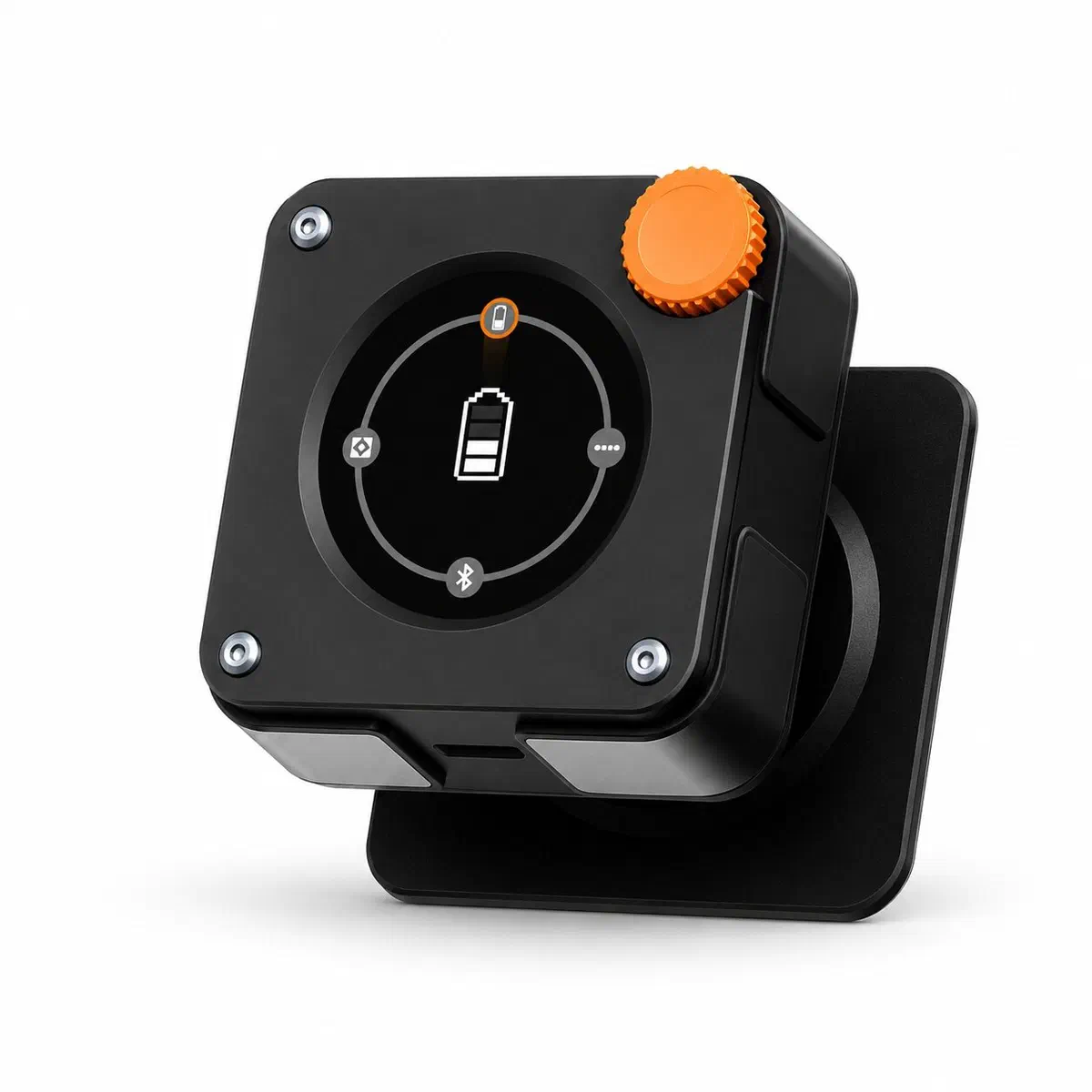
Leveling shouldn't be trial and error.
Getting level usually means guessing, climbing in and out, and stacking blocks until the bubble looks right.
Know where to lift
See exactly which wheel needs blocks and how much.
Fewer trips outside
Follow the app instead of checking a bubble level again and again.
Hear when you're there
The screen turns green and the app tells you when to stop.
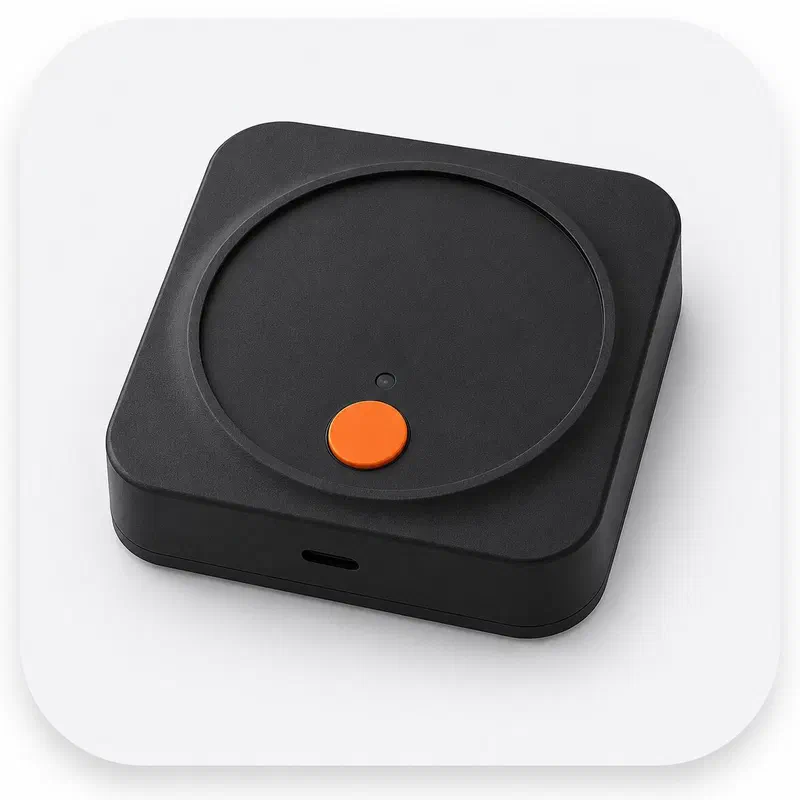
In the app
Every wheel, at a glance.
The Dashboard has two views.
- Top View shows FL, FR, RL and RR with the lift height and number of blocks for each wheel.
- Tilt View shows left-right and front-back tilt on a gauge — green when you’re close to level.
- Re-Measure recalculates whenever conditions change.
How it works
From parked to level in a few steps.
Connect
Open the app and connect your Qorvan RL1 over Bluetooth.
Set up once
Choose your RV type, enter its dimensions, pick your leveling blocks and the leveler’s mounting direction.
Calibrate
Calibrate once on level ground with the leveler fixed in place.
Measure
Tap Re-Measure to see the blocks each wheel needs.
Place blocks
Tap Start and place blocks where the app shows.
Drive on slowly
Follow the drive prompt and move the RV slowly onto the blocks.
Stop on green
When the screen turns green and you hear the prompt, stop.
Finish
Tap Finish to save the result to your history.
Made for real campsites.
Your RV, your blocks
Class C/B, Class A, travel trailers and fifth-wheels; interlocking blocks, trailer blocks, step ramps and curved ramp levelers.
Works without signal
Leveling, setup and history work offline and sync when you’re back online.
Keeps improving
Firmware updates install over the air from the app.
In the app
Tell the app what you carry, and it does the maths.
Set the block type and height once. After that the dashboard shows every wheel at a glance.
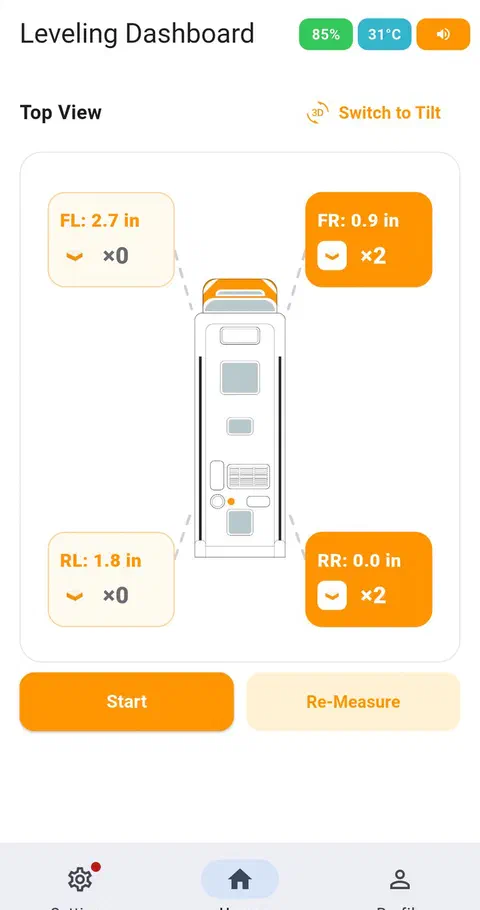
Top View dashboard
Every wheel's height at once, with the block count it needs.
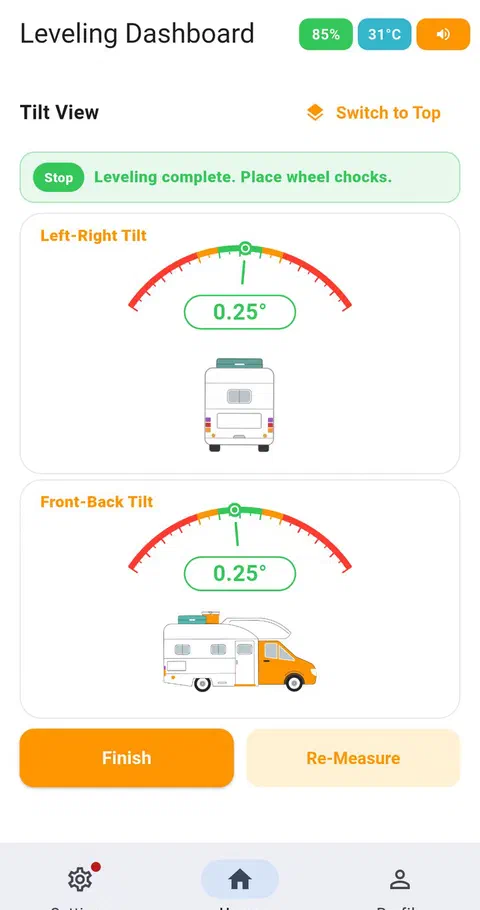
Tilt View
Left-right and front-back tilt, live, with a level-complete confirmation.
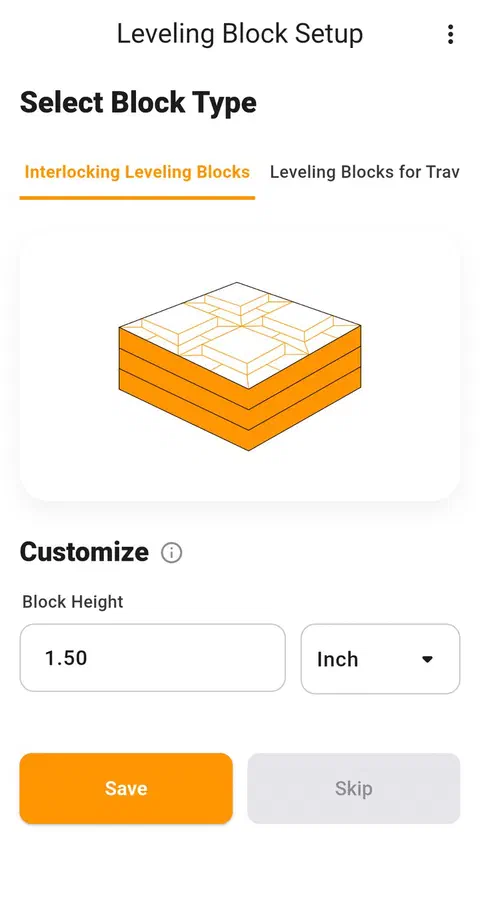
Leveling block setup
Choose your block type and measured block height.
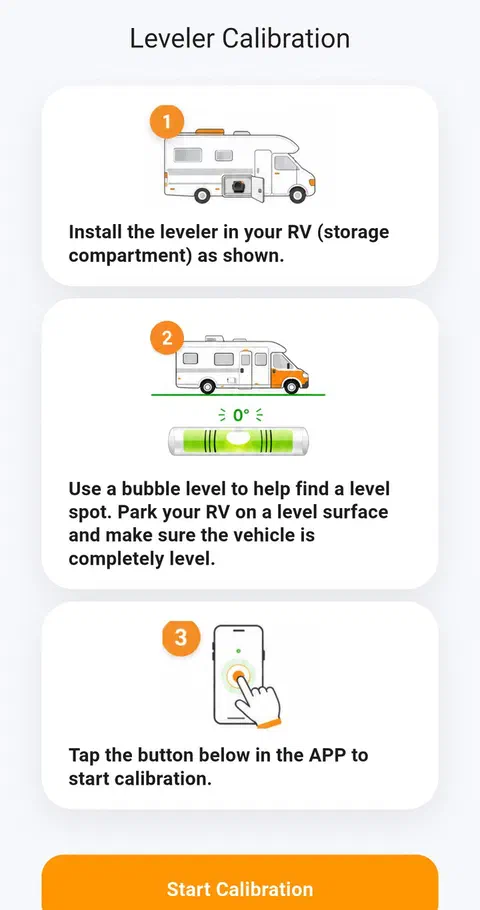
Leveler calibration
A guided calibration on level ground, once per installation.
Screenshots from the Qorvan RoamLevel app. Sample readings shown for demonstration.
Specifications
- Devices
- Qorvan RL1 Core (standard) and Qorvan RL1 Pro
- Connection
- Bluetooth to the Qorvan RoamLevel app
- RV types
- Class C/B, Class A, Caravan / Travel Trailer, Fifth-Wheel Travel Trailer
- Leveling blocks
- Interlocking blocks, travel-trailer blocks, fixed-height step ramps, curved ramp levelers
- Units
- Inches, feet or centimeters; °C or °F
- Views
- Top View (per-wheel height and block count) and Tilt View (left-right and front-back)
- Guidance
- Voice, beep or silent
- Offline use
- Leveling works without a network; history syncs later
- Updates
- Over-the-air firmware updates from the app